The Argox D2-250 PRO printer features a user friendly clamshell design that allows users to simply open the cover and load media. The printer offers a small footprint design. The compact D2 series fits into tight spaces and supports a wide range of applications. The label printer has built in USB host, USB device and Ethernet ports. The printer can be expanded to WiFi and Bluetooth. These modules are sold separately. The D2 series has Cerner certification. The printer ships with Bartender UL, Windows Drivers and Print Tools.
Argox D2-250 PRO 2″ Direct Thermal Desktop Printer

Print Method: Direct Thermal
Max Print Width: 54mm
Print Speed: 7ips
Interface Ports: USB + USB HOST + Ethernet
Warranty: 2 Years
Product Brand: Argox
MPN: OS 99-D2202-002
Included Software: Bartender UL and Drivers
Ribbon Length: none
R 4,200.95 incl vat
Available to order
🚚 Free Gauteng Delivery — Available for all Gauteng orders.
📦 Nationwide Delivery — R120 (excl. VAT) for all other provinces.
📍 Local Pickup — Free collection available directly from our premises.
⏱️ Processing Time — Orders are ready for dispatch or collection within 2–4 working days after payment reflects.
1. Argox D2-250 PROUltra-Compact Clamshell Design
Measuring just 116 mm wide, the D2-250 PRO occupies a minimal workspace footprint. Its top-opening clamshell casing allows operators to drop in media rolls quickly, reducing downtime during busy shifts.
2. Argox D2-250 PRO Fast 7 ips Direct Thermal Engine
Powered by an onboard 32-bit RISC processor, the D2-250 PRO prints at speeds up to 7 inches per second (178 mm/s). It processes print queues quickly to keep retail checkout lines moving and packing stations productive.
3. Argox D2-250 PRO Broad Connectivity & Standalone Capability
Out of the box, the printer includes USB Device and USB Host connectivity. The USB Host port allows operators to attach external barcode scanners or keyboards for standalone, PC-free printing setups. Optional upgrades include Ethernet, RS-232, Wi-Fi, and Bluetooth 4.2.
4. Tri-Emulation Compatibility (PPLA / PPLB / PPLZ)
The D2-250 PRO features built-in emulation support for Datamax (PPLA), Eltron (PPLB), and Zebra (PPLZ/ZPL) printer languages. This drop-in software compatibility allows easy replacement of legacy units without re-engineering existing label software or ERP output routines.
Argox D2-250 PRO Ideal Industry Applications
- Retail & POS: Product shelf tags, price markdowns, barcode stickers, and promotional tags.
- Healthcare & Labs: Patient identification wristbands, blood bag stickers, specimen vial tracking, and prescription labels.
- Logistics & Warehousing: Small shipping stickers, product bin identification, and return routing tags.
- Hospitality & Ticketing: Event access wristbands, visitor badges, parking tickets, and counter receipts.
Argox D2-250 PRO Setup & Maintenance Tips
- Clean the Printhead Regularly: Use an isopropyl alcohol pen to clean the 203 dpi printhead during roll changes to remove paper dust and adhesive buildup.
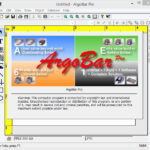
- Utilize Included Design Software: Design GS1-compliant 1D and 2D barcodes using software tools like BarTender® or ArgoBar PRO.
- Sensor Calibration: Adjust the movable reflective or fixed transmissive gap sensors via the single feed button to match continuous, die-cut, or fan-fold media.
Technical Specifications Summary
| Category | Specification Details |
| Print Method | Direct Thermal (ribbonless) |
| Resolution | 203 dpi (8 dots/mm) |
| Max Print Speed | 7 ips (177.8 mm/sec) |
| Max Print Width | 2.13 in (54 mm) |
| Max Print Length | 100 in (2,540 mm) |
| Processor & Memory | 32-bit RISC Microprocessor; 128 MB SDRAM, 128 MB Flash ROM (USB storage expansion up to 32 GB) |
| Standard Interfaces | USB Host, USB Device, Ethernet (LAN) (varies by region/SKU; standard base models include USB Device + USB Host) |
| Optional Interfaces | RS-232, Wi-Fi (802.11 b/g/n), Bluetooth v4.2 |
| Emulations | PPLA, PPLB, PPLZ (Auto-switching auto-detection) |
| Sensors | Transmissive sensor (fixed, 6.27 mm offset) & Movable Reflective sensor; Head open switch |
| Dimensions & Weight | 116 mm (W) x 170 mm (H) x 215 mm (D); 1.05 kg (2.31 lbs) |
| Media Handling | Width: 12 mm to 60 mm; Roll OD: 5 in (127 mm) max on 1″/1.5″ core or 4.5 in (114 mm) on 0.5″ core |
Core Hardware Features
- Compact Clamshell Design: Fast drop-in media loading into tight workspaces (footprint is under 5 inches wide).
- Broad Media Support: Handles roll-fed, die-cut, continuous, fan-fold, black mark labels, wristbands, and tickets.
- Control Interface: Single feed button with dual multi-color LED indicators for fast status updates.
- Software Suite: Includes Seagull Scientific Windows/Linux/macOS drivers, BarTender UltraLite, and Argox Printer Tool.
Argox D2-250 PRO Frequently Asked Questions
1. Hardware & Media Setup
Q: Does the Argox D2-250 PRO require ink or thermal ribbons?
A: No. The D2-250 PRO is a Direct Thermal (DT) printer. It prints using heat directly onto heat-sensitive labels, wristbands, or receipt paper without ribbons, ink, or toner.
Q: What media sizes and roll dimensions can I use?
A:
- Media Width: 0.47 in to 2.36 in (12 mm to 60 mm).
- Maximum Print Width: 2.13 in (54 mm).
- Roll Diameter: Max 5.0 in (127 mm) outer diameter on a 1.0″ or 1.5″ core, or 4.5 in (114 mm) on a 0.5″ core.
Q: How do I calibrate media sensors on the D2-250 PRO?
A:
- Turn off the printer via the rear power switch.
- Press and hold the FEED button while switching the power back on.
- Release the FEED button when the LED status indicators change color sequence (LED 2 green, LED 1 amber). The printer will feed labels, automatically measure label height, detect gap/black mark positions, and print a self-test configuration page.
2. Software & Emulation
Q: Which Windows printer drivers should I install?
A: Use the official Seagull Scientific Drivers for Argox. They provide optimal integration with Windows 10/11, BarTender label design software, and third-party POS/ERP platforms.
Q: Can I replace a Zebra or Datamax printer with the D2-250 PRO without rewriting code?
A: Yes. The printer includes auto-switching firmware supporting PPLA, PPLB, and PPLZ. It automatically interprets ZPL II (PPLZ) or EPL (PPLB) print commands sent from legacy warehouse and healthcare software.
Q: Which label design software comes bundled with the printer?
A: The D2-250 PRO includes BarTender UltraLite Edition by Seagull Scientific and the Argox Printer Tool utility.
3. Connectivity & Hardware
Q: What standard ports are built into the D2-250 PRO?
A: Standard models feature USB Device, USB Host, and Ethernet (LAN) connectivity.
Q: Can I connect the printer over Wi-Fi or Bluetooth?
A: Optional expansion modules for Wi-Fi (802.11 b/g/n) and Bluetooth v4.2 are available for order as factory or dealer add-ons.
4. Maintenance & Troubleshooting
Q: How do I fix poor or faded print quality?
A:
- Clean the printhead: Turn off power, open the clamshell cover, and gently wipe the printhead element using an isopropyl alcohol wipe or swab.
- Check driver dark setting (darkness/density): Increase the heat/darkness value in the Windows driver settings or BarTender software.
- Verify media quality: Direct thermal media degrades over time when exposed to heat or light. Ensure you are using fresh direct thermal paper stock.
Q: Why is the printer skipping labels or light flashing Red/Amber?
A:
- Gap/Mark Alignment: Adjust the moveable reflective sensor under the label path so it aligns with the gap, notch, or black mark on your label liner.
- Head Open: Ensure the top cover latches securely on both sides until you hear a click.
- Recalibrate: Run a manual sensor calibration sequence using the FEED button startup routine.
Argox Barcode Label Printers Ribbons, Print Heads, Accessories and Software

Thermal Transfer Ribbons
Argox Thermal Print Heads
Thermal Print Head Wipes