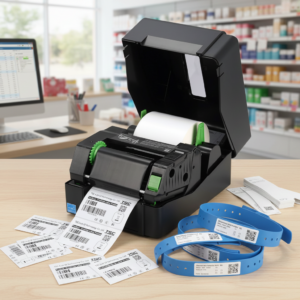
Streamlining Your Production with Argobar PRO
When it comes to desktop label printing, having a printer like the Argox OS-214EX PRO ( Or any other Argox Printer) is only half the battle. To leverage its full potential, you need software that bridges the gap between a blank label and a professional, scannable product. Argobar PRO is Argox’s dedicated solution designed to do exactly that without the steep learning curve of high-end enterprise suites.

Core Features of Argobar PRO
Argobar PRO is positioned as a “compact” label editor. It’s built for users who need reliability and speed rather than complex graphic design tools.
- WYSIWYG Interface: The “What You See Is What You Get” editor allows you to drag and drop elements—text, barcodes, and images—exactly where you want them on the label.
- ODBC Database Support (The Standout Feature): Unlike many “Lite” versions of software that charge extra for database connectivity, Argobar PRO includes free ODBC support. You can link your label templates directly to:
- Microsoft Excel spreadsheets
- CSV files
- MS Access or SQL databases
- Multi-Language Interface: The software supports over a dozen languages, including English, Spanish, German, and Portuguese, making it versatile for global operations.
- Advanced Barcoding: It supports standard 1D barcodes and 2D symbologies like QR Codes and Data Matrix, which are essential for modern inventory and e-commerce tracking.
Why Use Argobar PRO Over BarTender?
While BarTender is the industry giant, Argobar PRO offers specific advantages for Argox users:
| Feature | Argobar PRO | BarTender (UltraLite) |
| Price | Free with Argox Printers | Free (Basic) / Paid (Pro) |
| Database Link | Full ODBC support included | Restricted in basic versions |
| Ease of Use | High (Simplified tools) | Moderate (Feature heavy) |
| Integration | Native to Argox hardware | Universal (Third-party) |
Setting Up Your First Design
To get started with your design, follow these three essential steps:
- Page Setup: Define your label dimensions immediately. If you are using standard 100mm x 150mm shipping labels, ensure your workspace matches these dimensions to prevent the printer from “creeping” or skipping labels.
- Dynamic Data: If you are printing a series of items (like a t-shirt line), use the Counter tool. You can set an initial value and tell the software to increment by one for every label printed.
- Graphic Optimization: When importing logos, use high-contrast .BMP or .PCX files. Since thermal printers don’t do well with gradients or shades of grey, pure black-and-white graphics will result in the crispest print.
Optimized For Argox Printers
Because Argobar PRO is developed by Argox, it communicates natively with your printer’s internal command languages (PPLA, PPLB, or PPLZ). This means faster “time-to-print” compared to general Windows drivers, which often have to “render” the label as a large image before sending it to the printer.
Download ArgoBar Pro from Argox’s website