
Courier Label Printers for Waybills & Shipping (100×150mm)
Speed up parcel dispatch and eliminate ink, toner, and A4 paper waste with a dedicated 4-inch thermal courier label printers. At JNS Technologies, we supply reliable desktop and industrial waybill printers across South Africa—pre-configured for standard 100 mm × 150 mm (4″ × 6″) shipping labels used by South Africa’s leading couriers and e-commerce platforms.
Courier Label Printers Compatible with Major South African Couriers & E-Commerce Platforms
Every 4-inch desktop barcode printer in our range prints crisp, high-contrast 203 dpi barcodes on industry-standard 100 × 150 mm direct thermal labels—preventing unscannable waybills and depot delays across all major local shipping portals:
The Courier Guy, Bob Go (uAfrica), Takealot Seller Portal, RAM Hand-to-Hand, Fastway Couriers, Aramex & PostNet, DHL & FedEx, Shopify & WooCommerce
Courier Label Printers Direct Thermal (DT) — Best for Pure Courier Dispatch
Direct Thermal printers use heat-sensitive 100×150mm labels and require zero ink, toner, or ribbons. Simply load a roll of waybill labels and print. Because courier parcels are in transit for days rather than years, Direct Thermal is the most economical and hassle-free choice for e-commerce and warehouse dispatch stations.
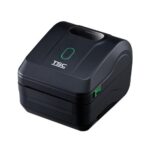
TSC DL421
R4,295.25 incl vat
- Direct Thermal (No Ribbon)
- 108 mm Max Print Width | 6 ips (152 mm/s) Print Speed
- USB & Ethernet Interfaces
- Free Software – Bartender UL
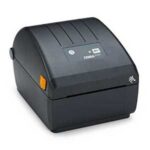
Zebra ZD220
R4,104.35 incl vat
- Direct Thermal (No Ribbon)
- 104 mm Max Print Width | 4 ips (102 mm/s) Print Speed
- USB Interface
- Free Software – ZebraDesigner Essentials
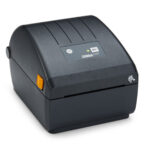
Zebra ZD230
R5,509.65 incl vat
- Direct Thermal (No Ribbon)
- 104 mm Max Print Width | 6 ips (152 mm/s) Print Speed
- USB & Ethernet Interfaces
- Free Sofware – ZebraDesigner Essentials
100×150mm Waybill Labels, Fanfold Stacks & Printhead Care
- Standard Label Dimensions: Order 100 mm × 150 mm (4″ × 6″) perforated direct thermal labels on a 25 mm or 38 mm core (typically 250 to 500 labels per roll) for desktop printers.
- High-Volume Fanfold Media: Printing more than 300 parcels a day? Most desktop printers feature a rear media feed slot that accepts fanfold stacks of 100×150mm labels—cutting down roll-change downtime.
- Extend Printhead Lifespan: Direct thermal paper runs directly against the printhead. Wipe the printhead after every 2–3 rolls using pre-saturated 99% IPA Inkanto Printhead Cleaning Wipes to prevent faded barcodes and premature printhead wear.
Courier Label Printer FAQs
What size label is used for courier waybills in South Africa?
The universal thermal courier waybill size in South Africa is 100 mm × 150 mm (also referred to as 4″ × 6″). Major couriers and shipping platforms—including The Courier Guy, Bob Go (uAfrica), Takealot Seller Portal, RAM, Fastway, and Aramex—format their waybill PDFs directly for 100×150mm direct thermal labels.
Do these courier label printers require ink, toner, or ribbons?
No. All three courier printers on this page—the TSC DL241, Zebra ZD220 Direct Thermal, and Zebra ZD230 Direct Thermal—use Direct Thermal printing. Heat from the printhead darkens the coating on 100×150mm direct thermal labels, so you never have to buy ink cartridges, toner, or thermal ribbons for shipping waybills.
Which courier printer should I choose: Zebra ZD220, Zebra ZD230, or TSC DL241?
Choose the Zebra ZD220 (USB, 4 ips print speed) if you want an affordable, reliable entry-level printer for a single dispatch PC. Choose the Zebra ZD230 or TSC DL241 (both 6 ips print speed with USB and Ethernet) if you print higher daily parcel volumes or need to share the printer across multiple packing computers on your office or warehouse network.
Can I print waybills directly from The Courier Guy, Bob Go, and Takealot?
Yes. Once you install the Windows or macOS printer driver and select 100 mm × 150 mm as your default paper size, you can print waybills straight from The Courier Guy, Bob Go, Takealot Seller Portal, Shopify, or WooCommerce without manual cropping or taping A4 sheets onto parcels.
Why is my courier waybill printing sideways or cut off?
Cropped or rotated waybills occur when the Windows driver defaults to a smaller label size or your PDF viewer applies “Fit to Page”. Open Printing Preferences in Windows, set the stock dimensions to 100 mm × 150 mm, run a media sensor calibration on the printer, and select Actual Size (100%) in your PDF print settings.
Can I use fanfold 100×150mm label stacks instead of rolls?
Yes. Desktop 4-inch thermal printers take standard 100×150mm rolls on a 25 mm or 38 mm core inside the housing, and also include a rear feed slot so high-volume dispatch desks can feed fanfold stacks of waybill labels with fewer reloads.
How do I keep courier barcodes sharp and prevent printhead wear?
Because direct thermal labels pass directly under the thermal printhead, paper dust can build up over time and cause faded lines on tracking barcodes. Wipe the printhead after every 2–3 rolls using pre-saturated 99% IPA Inkanto Printhead Cleaning Wipes to keep barcodes scanning cleanly and extend printhead life.
Do you offer South African warranty, setup help, and nationwide delivery?
Yes. JNS Technologies is based in Benoni, Gauteng, and supplies genuine Zebra and TSC printers backed by official South African warranties and local repair support. Need help choosing or setting up your printer? Request a quote online or WhatsApp us on +27 (0) 72 155 8210.