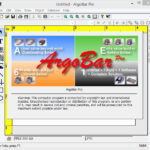
Argox CP-2140EX PRO the new generation desktop printer to save time and money. Feature rich to make daily work simple and easy. Large loading space to make loading media or ribbon easy. The integrated structure makes the printer strong and durable. The print speed is 20% Faster than the old CP series. Available Software, downloadable from the Argox Website – Bartender UL, Argobar Pro, iLabelPrint+, Windows Drivers and Print Tools.
Now with Expanded 128MB SDRAM and 128MB Flash ROM the CP-2140EX PRO can store more fonts, forms, graphics.
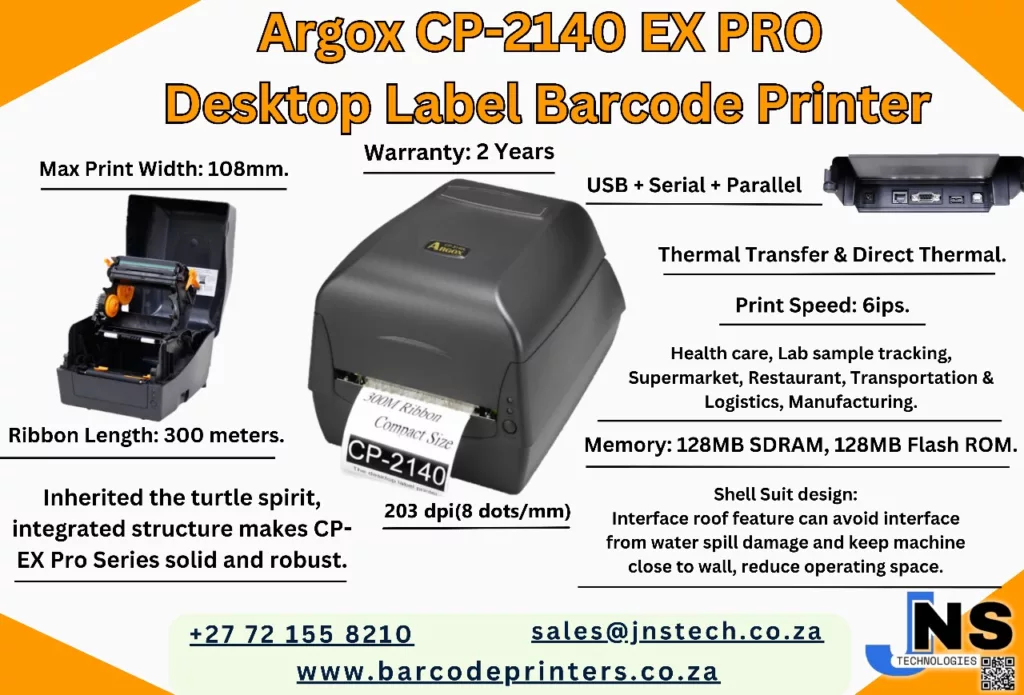
Argox CP-2140 EX PRO Desktop Printer


Print Method: Thermal Transfer and Direct Thermal
Max Print Width: 108mm
Print Speed: 6ips
Memory: 128MB SDRAM, 128MB Flash ROM
Interface Ports: USB + Serial + Ethernet
Emulation: PPLA/PPLB/PPLZ
Warranty: 2 Years
Product Brand: Argox
MPN: ARG 99-C2102-114
Software: Bartender UL, Argobar Pro, iLabelPrint+ and Drivers
Ribbon Length: 300 meters
R5,272.75 incl vat
Includes 2 Wax Ribbons
Available to order
🚚 Free Gauteng Delivery — Available for all Gauteng orders.
📦 Nationwide Delivery — R120 (excl. VAT) for all other provinces.
📍 Local Pickup — Free collection available directly from our premises.
⏱️ Processing Time — Orders are ready for dispatch or collection within 2–4 working days after payment reflects.
In manufacturing, warehousing, and high-volume retail operations, maintaining uninterrupted label output while conserving valuable desk space is a critical balancing act. The Argox CP-2140EX PRO desktop barcode label printer bridge this gap by housing a 300-meter ribbon capacity within an ultra-compact, modular footprint. Combining dual direct thermal and thermal transfer print capabilities with enhanced processing speed and memory, the CP-2140EX PRO is engineered to lower operational costs and maximize productivity.
Key Features & Commercial Benefits
1. Massive 300-Meter Ribbon Capacity
Unlike traditional desktop printers that restrict users to shorter 74-meter or 110-meter ribbons, the CP-2140EX PRO accepts standard 300-meter ribbons. This reduces roll changes by up to 60%, drastically cutting down labor downtime in high-throughput environments. Furthermore, its intelligent sensor system automatically detects both ink-side in (CSO) and ink-side out (CSI) ribbon formulations.
2. High-Speed Output & Expanded On-Board Memory
Driven by a 32-bit RISC processor with expanded memory (128 MB SDRAM and 128 MB Flash ROM), the CP-2140EX PRO prints at speeds up to 6 inches per second (152.4 mm/s) at 203 dpi. The substantial memory headroom enables fast handling of complex label formats, scalable TrueType fonts, and graphics without buffering delays.
3. Space-Saving “Shell Suit” Ergonomic Design
Featuring Argox’s signature “Shell Suit” integrated housing with a protective top cover, the unit guards internal mechanisms against environmental dust and moisture. Rear interface ports are recessed to allow the printer to sit flush against walls or partition surfaces, saving critical bench space in cramped work areas.
4. Seamless Quad-Interface Connectivity & Auto-Emulation
The CP-2140EX PRO includes a comprehensive suite of default ports: USB Device, USB Host, RS-232 Serial, and Ethernet (LAN). Built-in command emulation auto-detects PPLA, PPLB, and PPLZ print streams, providing immediate plug-and-play replacement for legacy Zebra (ZPL/EPL) or Datamax environments without requiring backend software re-coding.
Key Industry Applications
- Logistics & Dispatch: Shipping waybills, pallet tracking labels, and carton identification.
- Manufacturing & Industrial: Component tracking, serial number tags, and raw material inventory stickers.
- Healthcare & Pharmaceuticals: Long-term asset identification, specimen marking, and prescription labels.
- Retail & Distribution: Product barcode tagging, shelf-edge pricing, and garment price tickets.
Print Engine Specifications
- Print Method: Direct Thermal (DT) & Thermal Transfer (TT)
- Resolution: 203 dpi (8 dots/mm)
- Max Print Speed: Up to 6 ips (152.4 mm/sec)
- Max Print Width: 4.25 inches (108 mm)
- Max Print Length: Up to 100 inches (2,540 mm)
- Processor & Memory: 32-bit RISC CPU; 128 MB SDRAM, 128 MB Flash ROM
Media & Ribbon Capacities
- Ribbon Length: Max 300 meters (984 feet) on 1-inch (25.4 mm) core (Optional 0.5″ core adapter)
- Ribbon Formulations: Wax, Wax/Resin, Resin (Ink-side in / CSI or Ink-side out / CSO auto-detection)
- Ribbon Width: 1.0 in to 4.33 in (25.4 mm to 110 mm)
- Media Types: Roll-feed, die-cut, continuous, fan-fold, black mark, tags, ticket stock, or plain thermal paper
- Media Width: 0.8 in to 4.65 in (20 mm to 118 mm)
- Media Thickness: 0.0024 in to 0.008 in (0.06 mm to 0.20 mm)
- Media Roll Capacity (Max OD):
- 5.0 in (127 mm) on a 1.0 in (25.4 mm) core
- 4.5 in (114.3 mm) on a 0.5 in (12.7 mm) core
- 4.7 in (120 mm) on a 1.5 in (38.1 mm) core
- Sensors: Movable Reflective Sensor (1x) & Center Fixed Transmissive Sensor (1x)
Interfaces & Software
- Standard Connectivity: USB 2.0 Device, USB 2.0 Host, RS-232 Serial, Ethernet (10/100 Mbps LAN)
- Emulations / Command Languages: PPLA, PPLB, and PPLZ (Auto-detecting)
- Control Interface: 1x FEED Button, 2x Multi-color LED Indicators (Power / Ready)
- Bundled Software: BarTender UltraLite, Argox Printer Tool utility, iLabelPrint+
- Supported OS Drivers: Windows 10/11, Linux, macOS, Raspberry Pi drivers
Physical & Environmental Properties
- Dimensions (W x H x D): 226 mm x 188 mm x 276 mm (8.9″ x 7.4″ x 10.9″)
- Weight: 2.1 kg (4.6 lbs)
- Power Supply: External Universal Switching AC 100–240V (50–60Hz); DC Output 24V, 2.4A
- Operating Environment: 4°C to 38°C (40°F to 100°F); 10% to 90% non-condensing humidity
- Certifications: CE, FCC, cULus, CCC, RoHS, BSMI, KC, BIS
- Optional Hardware: Guillotine Cutter, Rotary Cutter, Peeler module, External media stand
Argox CP-2140EX PRO Frequently Asked Questions
1. Printing & Consumables
Q: What is the difference between Direct Thermal (DT) and Thermal Transfer (TT) on the CP-2140EX PRO?
A:
- Direct Thermal (DT): Uses heat-sensitive labels directly without a thermal ribbon. Ideal for short-term applications like shipping waybills, courier stickers, and retail receipts.
- Thermal Transfer (TT): Uses a thermal ribbon to fuse ink onto paper, synthetic, or satin labels. Required for durable, long-lasting asset tags, chemical drum stickers, and outdoor shelf tags that resist fading, scratching, and heat.
Q: What size ribbons can I load into the printer?
A: The printer accommodates standard 300-meter (984 ft) ribbons on a 1-inch (25.4 mm) core. It automatically detects both ink-side out (CSO) and ink-side in (CSI) ribbon formulations (Wax, Wax/Resin, or Resin).
Q: What media sizes and roll dimensions are supported?
A:
- Media Width: 0.8 in to 4.65 in (20 mm to 118 mm).
- Max Print Width: 4.25 in (108 mm).
- Label Roll OD: Up to 5.0 in (127 mm) outer diameter on a 1.0″ (25.4 mm) core, 4.7 in (120 mm) on a 1.5″ core, or 4.5 in (114.3 mm) on a 0.5″ core.
2. Setup & Sensor Calibration
Q: How do I perform a sensor calibration on the CP-2140EX PRO?
A:
- Turn off the power using the rear switch.
- Load your media and ensure the movable reflective sensor or center transmissive sensor is aligned with the label gap or black mark.
- Press and hold the FEED button while switching the power back ON.
- Release the FEED button when the LED indicators flash. The printer will feed several labels, automatically detect the media length, adjust sensor sensitivity, and print out a configuration self-test page.
Q: Will the CP-2140EX PRO replace my existing Zebra printer without changing software?
A: Yes. The printer features built-in auto-switching firmware that automatically recognizes PPLA, PPLB, and PPLZ command languages. It accepts standard ZPL II (PPLZ) or EPL (PPLB) print commands directly from existing ERP, warehouse, or e-commerce platforms without requiring software modification.
3. Maintenance & Troubleshooting
Q: Why is my print quality light, spotty, or streaked?
A:
- Dirty Printhead: Turn off power, open the cover, and gently clean the printhead element using an isopropyl alcohol wipe or swab.
- Driver Darkness Settings: Increase the darkness/heat value and lower the print speed slightly in your Seagull driver properties or BarTender software.
- Ribbon/Media Mismatch: Ensure you are matching the correct ribbon type to your label stock (e.g., Wax ribbon for plain paper, Resin ribbon for synthetic poly/vinyl labels).
Q: What causes a blinking Red/Amber LED or label skipping?
A:
- Sensor Position: Ensure the movable reflective sensor under the label path is lined up directly under the gap, hole, or black mark on the backing paper.
- Cover Latches: Ensure both sides of the top cover are clicked down firmly into the locked position.
- Ribbon Out / End: Verify the ribbon is loaded correctly on the supply spindle and the take-up core turns freely without slack.
Argox CP-2140EX Product Video
Argox Barcode Label Printers Ribbons, Print Heads, Accessories and Software

Thermal Transfer Ribbons
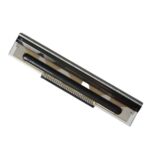
Argox Thermal Print Heads
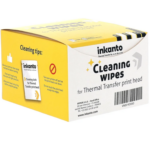
Thermal Print Head Wipes