The Argox D4-250 PRO features a user friendly clamshell design that allows users to simply open the cover and load media. Small footprint design, the compact D4 series fits into tight spaces and supports a wide range of applications. The D4-250 has built-in Ethernet, USB host, USB device and RS-232. It can be expanded with WiFi and Bluetooth. These modules are sold separately. The D4 series has Cerner certification. The printer ships with Bartender UL, Windows Drivers and Print Tools.
Argox D4-250 PRO Direct Thermal Barcode Printer with USB, USBHOST, Serial and Ethernet


Print Method: Direct Thermal
Max Print Width: 108mm
Print Speed: 6ips
Memory: 128MB SDRAM, 128MB Flash ROM (USB storage up to 32GB)
Interface Ports: USB + Serial + Ethernet
Warranty: 2 Years
Product Brand: Argox
MPN: ARG 99-D4202-006
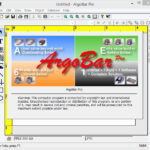
Included Software: Bartender UL, Argobar Pro, iLabelPrint+ and Drivers
Ribbon Length: none
R5,234.80 incl vat
Available to order
🚚 Free Gauteng Delivery — Available for all Gauteng orders.
📦 Nationwide Delivery — R120 (excl. VAT) for all other provinces.
📍 Local Pickup — Free collection available directly from our premises.
⏱️ Processing Time — Orders are ready for dispatch or collection within 2–4 working days after payment reflects.
In high-volume e-commerce, retail, healthcare, and logistics environments, operational efficiency hinges on reliable barcode output. The Argox D4-250 PRO direct thermal desktop barcode printer is engineered specifically for fast-paced workplaces where desk space is limited but printing demands are high.
Key Operational Features & Business Benefits
1. Full 4-Inch Width Printing at High Speed
Unlike smaller 2-inch units, the Argox D4-250 PRO prints full-sized standard 4×6-inch (100x150mm) waybills and shipping labels. Operating at speeds up to 6 ips (152.4 mm/s), it accelerates dispatch workflows and stockroom throughput without compromising text or barcode clarity.
2. Clamshell Design & One-Touch Calibration
Media loading is simple due to the top-loading clamshell enclosure. Combined with Argox’s Intelli- and Smart-mode single-key calibration, operators can drop in label rolls (up to 5-inch outer diameter) and calibrate gap/black-mark sensors immediately with minimal downtime.
3. Out-of-the-Box Quad-Interface Suite
To ensure compatibility across legacy and modern IT infrastructure, the D4-250 PRO comes standard with four communication ports: USB Host, USB Device, RS-232 Serial, and Ethernet (LAN). Optional dealer-installed modules add Wi-Fi and Bluetooth connectivity for flexible wire-free deployment.
4. Automatic Emulation Switching
Equipped with auto-detecting multi-language support (PPLA, PPLB, PPLZ), the printer seamlessly interprets ZPL II and EPL commands. This drop-in functionality lets businesses integrate the D4-250 PRO directly into existing Zebra or Datamax ecosystems without modifying backend code or custom label templates.
Core Industry Applications
- E-Commerce & Courier Logistics: Printing 4×6 waybills, dispatch stickers, and tracking barcodes for courier services.
- Warehousing & Inventory: Shelf-edge tags, bin markers, product barcode labeling, and stockroom identification.
- Healthcare & Laboratories: Cerner-certified specimen tracking, prescription marking, and patient ID wristbands.
- Retail & Supermarkets: Shelf pricing tags, markdown labels, and point-of-sale receipt output.
The technical specifications for the Argox D4-250 PRO 4-inch direct thermal desktop barcode printer are detailed below:
Core Print Engine Specs
- Printing Method: Direct Thermal (DT)
- Print Resolution: 203 dpi (8 dots/mm)
- Max Print Speed: Up to 6 ips (152.4 mm/sec)
- Max Print Width: 4.25 inches (108 mm)
- Max Print Length: Up to 100 inches (2,540 mm)
- Processor & Memory: 32-bit RISC Microprocessor; 128 MB SDRAM, 128 MB Flash ROM (USB storage expansion up to 32 GB)
Media & Consumables
- Media Types: Roll-feed, die-cut, continuous, fan-fold, black mark, wristbands, tags, tickets, or plain thermal paper
- Media Width: 0.88 in to 4.65 in (22.4 mm to 118 mm)
- Media Thickness: 0.0024 in to 0.0075 in (0.06 mm to 0.19 mm)
- Media Roll Capacity:
- Max 5.0 in (127 mm) Outer Diameter on a 1.0 in / 1.5 in (25.4 mm / 38 mm) Inner Core
- Optional external media stand supports up to 8.0 in (203 mm) OD on a 1.0 in / 3.0 in Core
- Sensors: Fixed Transmissive Sensor (6.27 mm offset), Movable Reflective Sensor, and Head-Open Switch
Interfaces & Software
- Standard Interfaces: USB Device, USB Host, RS-232 Serial, Ethernet (LAN)
- Optional Wireless: Wi-Fi (802.11 b/g/n) and Bluetooth v4.2
- Emulations / Command Languages: PPLA, PPLB, and PPLZ (Auto-switching auto-detection)
- Software Suite Included: BarTender UltraLite by Seagull Scientific, Argox Printer Tool utility, and Seagull Windows / Linux / macOS Drivers
Physical & Electrical Specs
- Dimensions (W x H x D): 183 mm x 225.9 mm x 166 mm (7.2″ x 8.89″ x 6.54″)
- Weight: 1.74 kg (3.83 lbs)
- Power Supply: External Universal Switching AC Input 100–240V (50–60Hz); DC Output 24V, 2.4A
- Operating Environment: 5°C to 40°C (41°F to 104°F); 25% to 85% non-condensing humidity
- Certifications: CE, UL/cULus, FCC, Energy Star, BSMI, Cerner Certified
Argox D4-250 PRO Frequently Asked Questions
1. Hardware & Media Setup
Q: Does the Argox D4-250 PRO use thermal ribbons or ink?
A: No. The D4-250 PRO operates using Direct Thermal (DT) technology. It prints directly onto heat-sensitive media without requiring ink cartridges, ribbons, or toner.
Q: What label sizes and roll dimensions can I load into the D4-250 PRO?
A:
- Media Width: 0.88 in to 4.65 in (22.4 mm to 118 mm).
- Maximum Print Width: 4.25 in (108 mm)—ideal for standard 4×6-inch shipping waybills.
- Roll Capacity: Up to 5.0 in (127 mm) outer diameter on a 1.0″ or 1.5″ core. An optional external media stand allows rolls up to 8.0 in (203 mm) outer diameter.
Q: How do I calibrate the gap or black mark sensor on the D4-250 PRO?
A:
- Turn off the printer power using the rear switch.
- Press and hold the FEED button on top while switching the power back ON.
- Watch the dual LED indicators change color:
- Transmissive Sensor Calibration (Gaps/Die-cut): Release the FEED button when LED 2 turns Red and LED 1 turns Green.
- Reflective Sensor Calibration (Black Marks/Notches): Release the FEED button when LED 2 turns Amber and LED 1 turns Green.
- The printer will automatically measure label length, adjust sensor thresholds, and feed blank media to complete calibration.
2. Emulation & Software Integration
Q: Will the Argox D4-250 PRO work with legacy Zebra or Datamax label formats?
A: Yes. The printer features integrated auto-detecting firmware supporting PPLA, PPLB, and PPLZ. It automatically interprets ZPL II (PPLZ) and EPL (PPLB) print streams directly from warehouse, e-commerce, or ERP systems without requiring code rewrite.
Q: Which Windows drivers and label software are recommended?
A: Install the official Seagull Scientific Windows Drivers for Argox. The printer also comes bundled with BarTender UltraLite Edition for custom label design and the Argox Printer Tool utility.
3. Connectivity & Hardware
Q: What standard ports are included on the D4-250 PRO?
A: Standard models feature an all-in-one quad interface suite: USB Device, USB Host, RS-232 Serial, and Ethernet (LAN).
Q: Can I add Wi-Fi or Bluetooth connectivity?
A: Yes. Optional factory or dealer-installed wireless expansion modules support Wi-Fi (802.11 b/g/n) and Bluetooth v4.2.
4. Maintenance & Troubleshooting
Q: How do I clean the printhead and prevent light/faded print output?
A:
- Switch off power and pop open the top clamshell cover.
- Gently clean the thermal printhead element using an isopropyl alcohol swab or cleaning card.
- If print density remains faint, increase the darkness/heat level in your Seagull driver settings or BarTender print properties.
Q: Why is my printer skipping labels or showing a blinking Red error LED?
A:
- Sensor Alignment: Ensure the movable reflective sensor on the media deck is directly aligned with the gap, notch, or black mark on the back of your label liner.
- Latch Check: Press down on both front corners of the clamshell top cover to ensure the head latch engages completely on both sides.
- Sensor Calibration: Run the manual startup calibration routine (holding FEED during power-on) to restore proper paper length indexing.
Argox Barcode Label Printers Ribbons, Print Heads, Accessories and Software

Thermal Transfer Ribbons
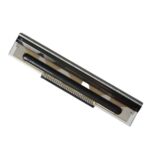
Argox Thermal Print Heads
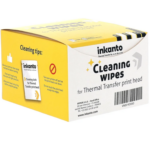
Thermal Print Head Wipes